iPhone
The same vault in your pocket.
AutoFill for logins, one-time codes and passkeys in Safari and apps. Scan a two-factor QR code, or set Verrou up to open every setup code link. Liquid Glass on iOS 26.
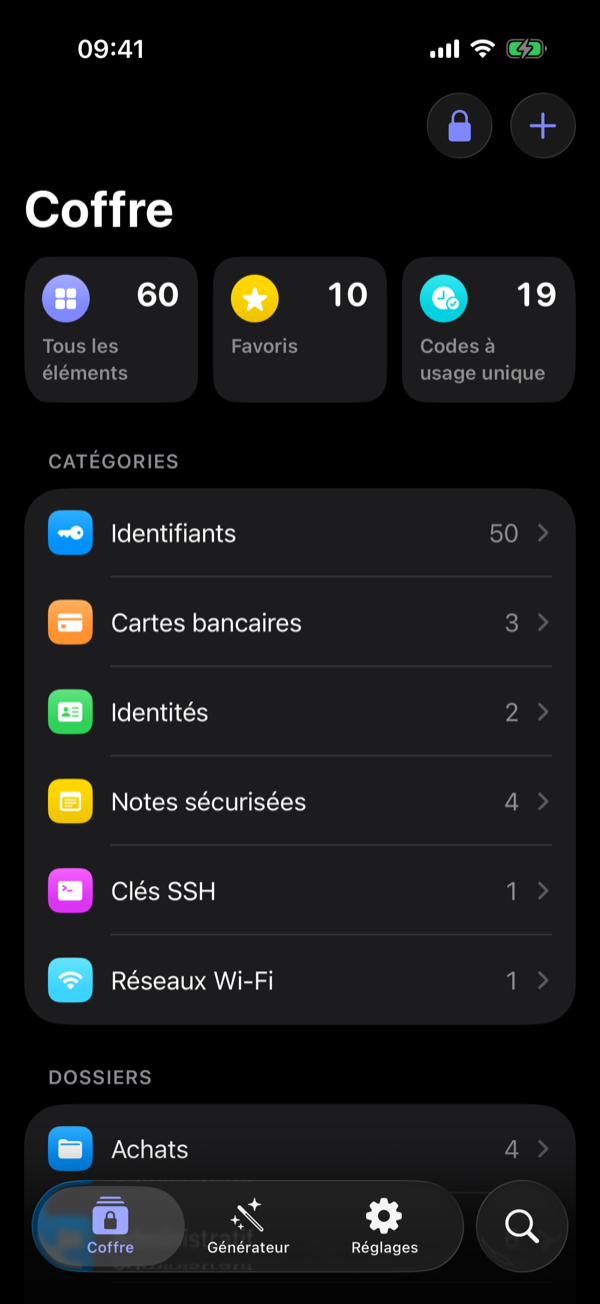
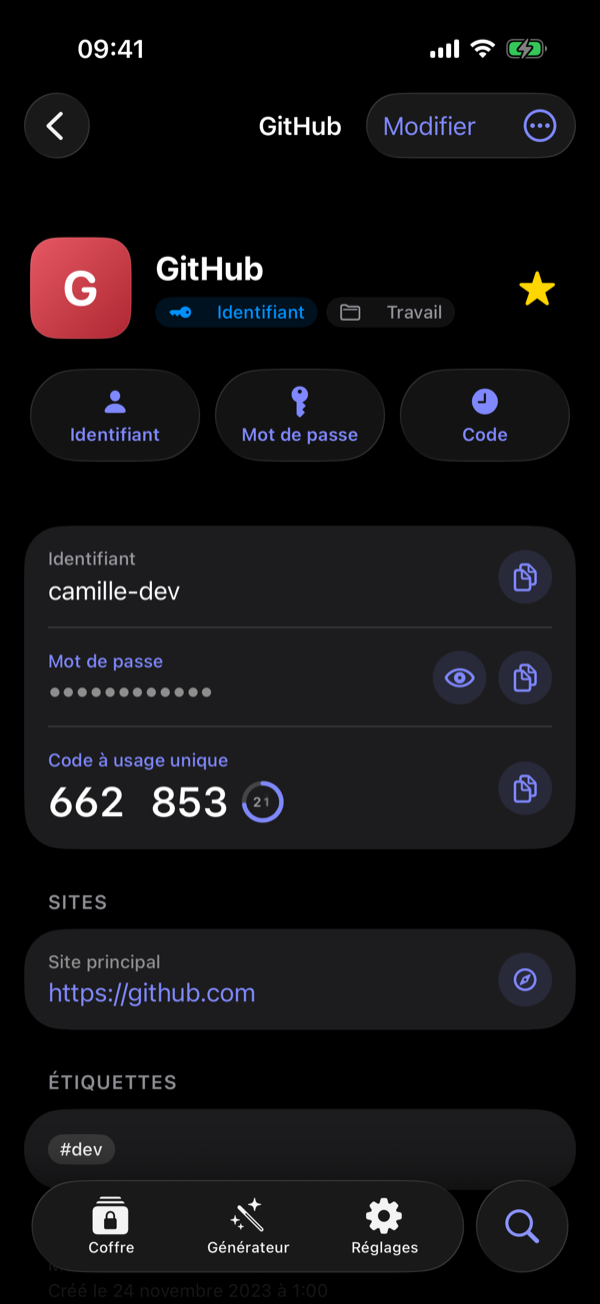
Verrou is a Mac and iPhone app for your own Vaultwarden server. It opens in a blink, finds anything as you type, and keeps your secrets out of everything else.
Free and open source · macOS 15 or later · iOS 17 or later · works with your existing Bitwarden vault
A native SwiftUI app on a Rust core, built on Bitwarden's own cryptography. Your vault stays on your server, in the Bitwarden format: the official apps keep working next to it.
⌘ ⇧ Space and type: results appear in milliseconds across thousands of items. ⌘ \ fills the app in front of you, even outside the browser.
The vault key is sealed by the Secure Enclave. Unlocking takes a glance.
Brave, Chrome and Firefox: logins, codes, cards and passkeys, only for the site in front of you.
Organizations, collections and members, confirmed by fingerprint phrase. Family and team, same app.
Weak, reused and breached passwords, passkey upgrades, and duplicates merged into one item.
When the terminal or an AI agent needs a secret while you're away, the request goes to Verrou on your iPhone. Face ID, one tap, done — even if the Mac's vault was locked.
Sealed end to end through your own iCloud account. Your iPhone never sees the vault key, and no server of ours is involved.
verrou run hands secrets to a command in its environment. They never land in the terminal, its history, or an AI agent's context, and anything the command prints is masked.
Plus an SSH agent that signs with the keys in your vault, and git commit signing. Every secret asks for your approval.
# .env — commit it, there's no secret in it
GITHUB_TOKEN=verrou://GitHub/token
DATABASE_URL=verrou://Production%20DB/url

$ verrou --reason "deploy" run --env-file .env -- ./deploy.sh
Touch ID · or your iPhone if you're away
Deploying with token <concealed by Verrou>
✓ done

$ eval "$(verrou ssh-agent)" && git commit -S
AutoFill for logins, one-time codes and passkeys in Safari and apps. Scan a two-factor QR code, or set Verrou up to open every setup code link. Liquid Glass on iOS 26.
No account of ours, no analytics, no tracking. Every connection is documented, with its known limits.
Bring your Vaultwarden server, or start with the demo vault.